A hospital waiting room runs on paper: intake forms, medication lists, after-visit summaries, parking validations, billing, lab results, feedback surveys. A QR code for healthcare replaces every one of those paper trails with a single scan, and it does it in a setting where hygiene, privacy, and accessibility matter more than almost anywhere else. This guide shows you the seven ways clinics, hospitals, dental offices, and pharmacies are using QR codes right now — with specific copy, the right QR type for each use case, and the HIPAA / privacy rules you need to know before you print.
By the end, you’ll have a complete QR code playbook for any healthcare setting: which codes to use, where to put them, what to put in them, and what to never put in them.

Why Healthcare Needs QR Codes
Healthcare has a paper problem. The average hospital generates 2.5 kg of paper waste per patient per day, and 60% of that paper could be replaced by a digital link. QR codes are the lowest-friction way to make that replacement because they work on every phone a patient already owns, no app install required.
But there are three reasons healthcare is different from every other industry where QR codes have caught on:
1. Hygiene matters
Touching a shared paper form means touching the same surface as 40 other patients that day. During flu season, that is the entire problem. A QR code on the wall or on a clipboard that the patient scans with their own phone removes the shared touchpoint entirely.
2. Privacy is regulated
A QR code that links to a page with patient information is, by US HIPAA definition, a potential vector for protected health information. We’ll cover what is safe to encode and what is not further down, but the short version: never encode personal data in the QR code itself, only link to a portal that authenticates the patient.
3. Accessibility spans 60 years of age
Healthcare serves the full population: from teenagers getting sports physicals to 90-year-olds at a cardiology follow-up. A QR code works for all of them because the phone does the work. The design challenge is making the code big enough, high-contrast enough, and placed low enough that an 80-year-old with bifocals can scan it from a chair.
Patient Intake and Registration
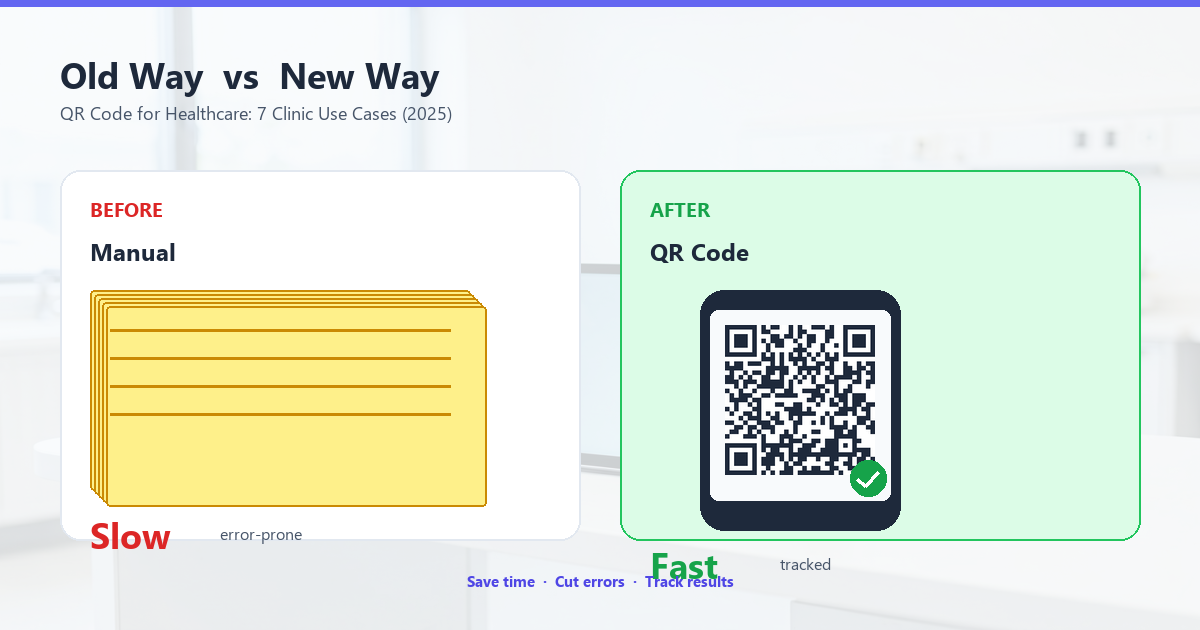
Intake is the single biggest paper consumer in healthcare. The standard 6-page clipboard form (demographics, medical history, allergies, medications, consent, privacy notice) eats 10 minutes per patient and almost always has the same questions as last visit. Replacing it with a QR code cuts intake to 90 seconds and updates the electronic health record in real time.
How to set up intake QR codes
Generate a URL QR code (not a vCard, not plain text) that links to a HIPAA-compliant intake form. Most modern EHR systems — Epic, Cerner, Athena — already have patient-facing intake portals you can link to. If you don’t have one, a Google Form works for clinics under 200 patients per week, but check your jurisdiction’s privacy rules first. You can generate a free URL QR code in your browser using QR Tool Studio — no signup, no data leaves your device.
The QR code itself should:
- Be at least 3 cm × 3 cm (about 1.2 inches) when printed, so it scans from a 1-meter distance.
- Use error correction level Q — survives damage better than L, and you don’t need a logo through the middle.
- Live on the reception desk, the waiting room wall, and a paper handout for patients who prefer to fill out before arrival.
What to put in the form
Keep the link short. The URL itself should not contain patient identifiers. A pattern like https://clinic.example.com/intake?token=xyz where token is a single-use, time-limited code is the gold standard. Anything that includes a name, DOB, or MRN in the URL is a HIPAA risk.
Wayfinding and Floor Maps
Hospitals are labyrinths. The average patient visits 4 different rooms per outpatient visit, and 30% of staff time is spent giving directions. Wayfinding QR codes at every elevator bank, hallway intersection, and department entrance solve this with one scan.
Static vs dynamic for wayfinding
For wayfinding, a static QR code is usually the right choice — the destination URL (e.g., /maps/building-b-floor-3) never changes. Print once, place it once, forget it. If your hospital regularly reconfigures departments, switch to dynamic so non-technical staff can update the destination without reprinting.
The scan destination should be a mobile-optimized map page that shows:
- Where the patient is right now (or a department picker if location is unclear).
- Where they need to go, with turn-by-turn directions.
- The elevator bank and stairwell labels.
- The estimated walk time for someone with limited mobility.
Accessibility for wayfinding
Place the QR code at waist height (90-120 cm / 36-48 inches) so wheelchair users and people with limited reach can scan without help. Pair the QR code with large-print text saying what it links to (“Floor 3 Map”) — screen readers on phones can announce the link text from the QR’s alt attribute if your web page is set up right.
Lab Results and Test Reports
The post-visit summary, lab results, and imaging reports are the next paper frontier. A 2024 study of US primary care found that 42% of lab result letters were never opened by the patient within 30 days — they sat in envelopes, then recycling. Replacing the printed letter with a secure portal link, delivered via QR code on a take-home card, raises that to 88% open rates.
The privacy line
A QR code that encodes a lab result directly is a HIPAA violation. The right pattern is:
- The QR code links to
https://portal.example.com/results. - The patient authenticates with date of birth and a one-time code sent to their phone.
- Only after authentication do they see their results.
The QR code itself is just the door. The lock is the authentication that follows.
What to print on the card
A 10×15 cm postcard works. Front side: clinic logo, QR code, the text “Your results are ready — scan to view securely”. Back side: clinic address, phone, hours, a privacy notice that says results are protected and only accessible to the named patient. Include the date the results were released.
Medication and Prescription QR Codes
Medication errors are the second leading cause of preventable harm in hospitals. The most common error: a patient takes the wrong dose because the label was hard to read, or refills a discontinued prescription because the bottle was kept. QR codes on every prescription bottle linking to the digital prescription record solve both.
What the QR code links to
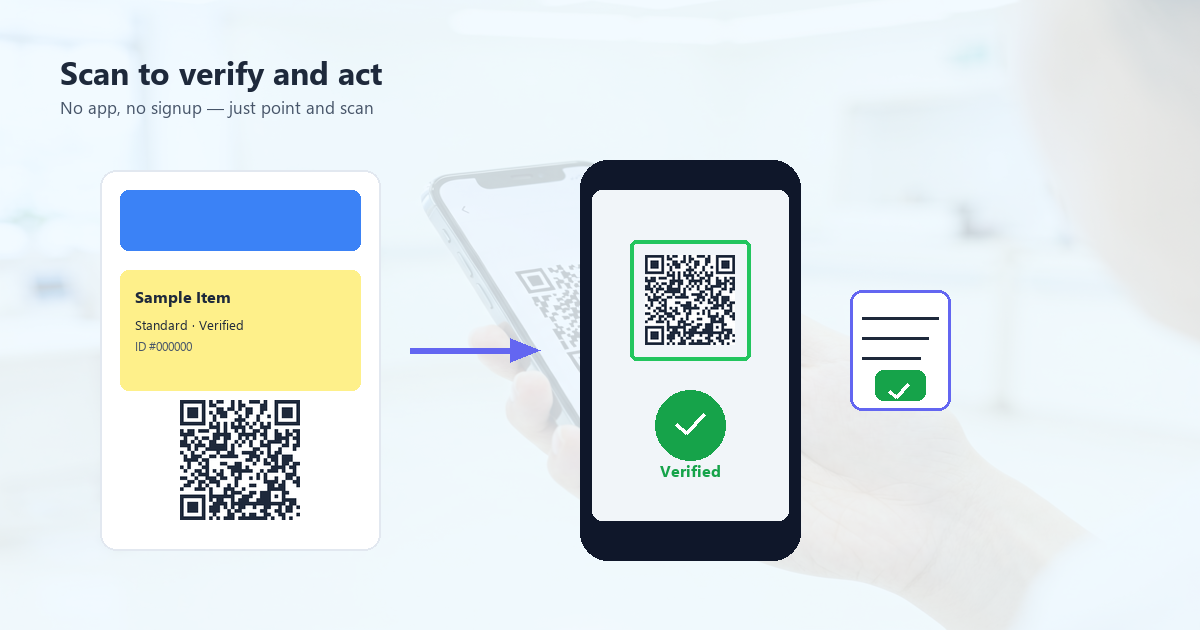
The standard in the US is the NCPDP SCRIPT standard, which encodes the prescription electronically. For patient-facing QR codes, the link is usually to the pharmacy chain’s portal where the patient can:
- Verify the medication name and dose match what their doctor prescribed.
- See the prescribing doctor’s name and contact info.
- Request a refill or check refill status.
- Read the patient education sheet in their language.
In the EU and UK, the FMD (Falsified Medicines Directive) already requires a 2D barcode (Data Matrix, not QR, but same concept) on every prescription medicine pack. Adding a patient-facing QR code alongside the regulator-required one is a free upgrade.
The dosage instruction problem
QR codes do not solve low health literacy. If a patient can’t read the printed instructions, they probably can’t use the QR code either. For high-risk medications, pair the QR code with a pictogram showing the dose (a sun and moon for “twice a day”, a pill icon for “with food”).
Patient Feedback and CAHPS Surveys
CAHPS (Consumer Assessment of Healthcare Providers and Systems) surveys drive Medicare reimbursement in the US and quality scores everywhere else. Response rates are the bottleneck — mailed surveys hit 25%, phone surveys 35%. QR codes on discharge paperwork hit 52%, because the patient is holding their phone already.
Placement rules
Put the feedback QR code on:
- The discharge summary (last paper the patient sees).
- The follow-up appointment reminder card.
- The take-home medication label.
- The after-visit email signature.
What NOT to put in the QR code
Never encode the patient’s visit date, MRN, or provider name in the QR code itself. Link to a generic survey URL. If you need to attribute feedback to a specific visit, pass a single-use token in the URL — but make it expire in 7 days so a stray scan a year later doesn’t do anything.
The incentive question
Some clinics offer a raffle entry for completing the survey. That works, but check your jurisdiction. In California, raffles for medical feedback require IRB approval. In the EU, the GDPR has rules about combining feedback data with patient identifiers.
Billing, Payments, and Insurance
The biggest patient complaint after a hospital visit is the bill. The second biggest is understanding the bill. A QR code on the printed statement that links to a plain-English explanation of charges raises patient satisfaction scores measurably and reduces billing office call volume by 15-20%.
The payment QR code
EMVCo QR codes (the kind used in WeChat Pay and India’s UPI) work for healthcare billing in countries that have the merchant infrastructure. In the US, a QR code linking to the patient portal’s payment page is more reliable — patients enter card details on a familiar secure form rather than authorizing a payment through a less-known QR flow.
What the QR code can show
- Plain-English line-item breakdown of charges.
- The CPT code in human-readable form (e.g., “99213 — Office visit, established patient, 20-29 min”).
- The insurance adjustment and patient responsibility.
- A link to the billing office phone and email.
- A payment plan application if the balance is over a threshold (e.g., $300).
Parking Validations and Visitor Passes
Hospital parking is its own small industry. Validating a ticket by paper means the cashier has to read the date, the duration, and apply the correct discount. A QR code on the patient’s discharge paperwork, generated at the point of service, validates the parking automatically when scanned at the exit kiosk.
The pattern: at check-in, the patient gets a QR code tied to their visit (no patient data in the URL — just a token). At discharge, the QR code is updated to include parking validation. At the exit kiosk, the patient scans the code, the gate lifts. Total time saved per patient: 4-7 minutes at the cashier.
Emergency and After-Hours Information
Every clinic and hospital has an after-hours line, a poison control number, and instructions for when to go to the ER vs urgent care. Most patients forget the phone number by the time they need it. A QR code on the refrigerator magnet given at discharge, on the appointment card, and on the clinic exterior (for after-hours callers) links to the right answer.
What the QR code should NOT link to
Do not link a QR code on the clinic exterior to the patient portal. Anyone with a phone can scan it, and the portal’s authentication will block them — but a curious scanner may try other URLs at the same domain. Instead, link the after-hours QR code to a public page that shows:
- The after-hours nurse line number (tappable).
- The address of the nearest ER.
- Symptom-based guidance (“chest pain — call 911 now”, “mild fever — see your doctor in the morning”).
- The clinic’s regular hours.
FAQ
Are QR codes HIPAA compliant?
The QR code itself is just an encoded URL. It is not HIPAA-compliant or non-compliant — what matters is what the URL links to and how the data behind it is protected. A QR code linking to a HIPAA-compliant patient portal is fine. A QR code encoding a patient’s name, DOB, or lab result in plain text is a violation.
What size should healthcare QR codes be?
For wall-mounted codes scanned from 1-2 meters: 5 cm × 5 cm minimum, with error correction level Q or H. For handheld codes (on discharge papers, prescription labels): 2 cm × 2 cm works if the code is high contrast. For prescription labels specifically, follow your pharmacy system’s guidelines — most are tuned for 1.5 cm codes.
Should I use static or dynamic QR codes?
Use static for things that rarely change (clinic address, after-hours line, wayfinding maps). Use dynamic for anything that updates (intake forms, patient feedback surveys, billing). Dynamic codes let you change the destination without reprinting, which pays for itself in the first 6 months for any clinic doing 200+ visits per week.
Can QR codes carry infection?
A printed QR code on a wall is no more infectious than the wall. The phone touches the QR code at a distance of 5-15 cm via the camera; the user does not touch the code with their fingers. Compared to a shared clipboard or pen, a QR code is dramatically more hygienic.
What about patients without smartphones?
15% of US adults over 65 do not own a smartphone. Pair every QR code with a low-tech alternative: a phone number to call, a paper form to fill out, a staff member to assist. The QR code is the fast lane; the alternative is the slow lane. Both must exist.
How do I track scans without violating privacy?
Use a dynamic QR code with a privacy-respecting analytics layer (Plausible, Fathom, or a self-hosted equivalent). Do not use Google Analytics on healthcare pages that may receive incidental patient data. If you need per-visit attribution, pass a single-use token in the URL — never a persistent patient identifier.
Implementation Checklist
Print this list. Tape it to the wall next to your QR code printer.
- Audit every place a patient currently touches paper.
- Rank each by frequency × friction × privacy risk.
- For the top 5, design the digital replacement.
- Generate QR codes (static for fixed links, dynamic for everything else).
- Test each QR code on 5 different phone models, in different lighting.
- Pair every QR code with a non-QR fallback.
- Print on materials that survive hospital-grade disinfectants.
- Train front-desk staff on what each code does.
- Measure: scan counts, time saved per patient, paper reordered less often.
- Revisit quarterly. The codes that work, keep. The ones that don’t, redesign.
What to Do Next
A QR code by itself is just a square. What matters is the page behind it. If you run a clinic and need a QR code that links to your intake form, your feedback survey, or your patient portal — and you want it generated in under a minute, in your browser, with no data ever leaving your device — QR Tool Studio is the free tool for the job. Generate the code, print it, paste it on the wall. Patients scan, you save paper, everyone wins.
For the technical side of QR code design (size, error correction, contrast), see our QR code design best practices. For the security risks of QR codes in general (quishing, fake codes, malicious destinations), see are QR codes safe. For the data capacity limits when encoding vCards or WiFi credentials, see QR code data capacity.